
Honda CR-V: Controls / Adjusting the Mirrors
Honda CR-V 2017-2026 Owner's Manual / Controls / Adjusting the Mirrors
 Adjusting the Steering Wheel
The steering wheel height and distance from your body can be adjusted so that
you
can comfortably grip the steering wheel in an appropriate driving posture...

Other information:
Honda CR-V 2017-2026 Owner's Manual: Maintenance Minder Messages on the Driver Information Interface
..
Honda CR-V 2017-2026 Owner's Manual: Shift Lever Does Not Move
Follow the procedure below if you cannot move the shift lever out of the position. Releasing the Lock Set the parking brake. Models without smart entry systemRemove the key from the ignition switch. Models with smart entry system Remove the built-in key from the smart entry remote...
Categories
- Manuals Home
- Honda CR-V Owners Manual
- Honda CR-V Service Manual
- To rapidly defrost the windows
- Jump Starting Procedure
- Head Restraints
- New on site
- Most important about car
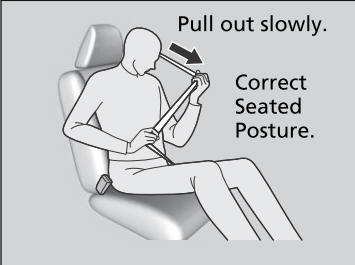
Fastening a Seat Belt
After adjusting a front seat to the proper position, and while sitting upright and well back in the seat:
Pull the seat belt out slowly.

Copyright © 2026 www.hocrv.com