Honda CR-V: Features / Bluetooth® HandsFreeLink®
Models with color audio system
Bluetooth® HandsFreeLink® (HFL) allows you to place and receive phone calls using your vehicle's audio system, without handling your cell phone.
Place your phone where you can get good reception.
To use HFL, you need a Bluetooth-compatible cell phone. For a list of compatible phones, pairing procedures, and special feature capabilities:
- U.S.: Visit automobiles.honda.com/handsfreelink/, or call 1-888-528 -7876.
Voice control tips
- Aim the vents away from the ceiling and close the windows, as noise coming from them may interfere with the microphone.
- Press and release the
 button when you want to call a number using a stored voice tag. Speak
clearly and naturally after a beep.
button when you want to call a number using a stored voice tag. Speak
clearly and naturally after a beep. - If the microphone picks up voices other than yours, the command may be misinterpreted.
State or local laws may prohibit the operation of handheld electronic devices while operating a vehicle.
Up to 20 speed dial entries can be stored. If there is no entry in the system, Speed Dial is disabled.
Up to 20 call histories can be stored. If there is no call history, Call History is disabled.
Bluetooth® Wireless Technology
The Bluetooth® word mark and logos are registered trademarks owned by Bluetooth SIG, Inc., and any use of such marks by Honda Motor Co., Ltd., is under license. Other trademarks and trade names are those of their respective owners.
HFL Limitations
An incoming call on HFL will interrupt the audio system when it is playing. It will resume when the call is ended.
 HomeLink® Universal Transceiver*
* Not available on all models
The HomeLink® Universal Transceiver can be programmed to operate up to three
remote controlled devices around your home, such as garage doors, lighting, or
home security systems...
 Using HFL
..
Other information:
Honda CR-V 2017-2026 Owner's Manual: Checking Tires
To safely operate your vehicle, your tires must be of the proper type and size, in good condition with adequate tread, and properly inflated. Inflation guidelines Properly inflated tires provide the best combination of handling, tread life, and comfort...
Honda CR-V 2017-2026 Owner's Manual: Your Vehicle's Safety Features
The following checklist will help you take an active role in protecting yourself and your passengers. Your vehicle is equipped with many features that work together to help protect you and your passengers during a crash. Some features do not require any action on your part...
Categories
- Manuals Home
- Honda CR-V Owners Manual
- Honda CR-V Service Manual
- Jump Starting Procedure
- Rear Seats
- Front Seats
- New on site
- Most important about car
Auto High-Beam
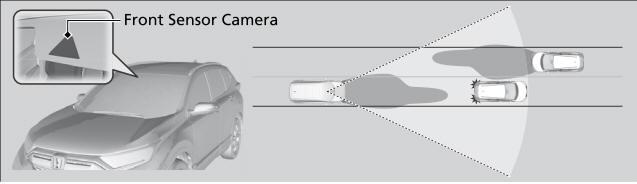
The front sensor camera detects the light sources ahead of the vehicle such as the lights of a preceding or oncoming vehicle, or street lights. When you are driving at night, the system automatically switches the headlights between low beam and high beam depending on the situation.