Honda CR-V: Locking/Unlocking the Doors from the Outside / Locking a Door Without Using a Key
Locking the driver's door
Push the lock tab forward  or
push the master door lock switch in the lock direction
or
push the master door lock switch in the lock direction
 , and close the door.
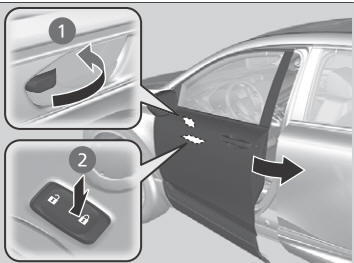
Locking the passenger's doors
Push the lock tab forward and close the door.
Lockout prevention system
Ignition keys with remote transmitter
The doors and tailgate cannot be locked when the key is in the ignition switch.
Models with smart entry remote
The doors and tailgate cannot be locked when the smart entry remote is inside the vehicle.
When you lock the driver's door, all the other doors and tailgate lock at the same time.
Make sure you have the key in your hand when you lock the driver's door, any of the other doors or the tailgate, otherwise you may end up locking the key inside the vehicle.
 Locking/Unlocking the Doors Using a Key
If the smart entry remote battery or the vehicle battery is dead, use the key
instead of the smart entry remote.
Fully insert the key and turn it.
When you lock the driver's door with a key, all the other doors and tailgate
lock at the same time...

Other information:
Honda CR-V 2017-2026 Owner's Manual: How the Front Airbags Work
While your seat belt restrains your torso, the front airbag provides supplemental protection for your head and chest. The front airbags deflate immediately so that they won't interfere with the driver's visibility or the ability to steer or operate other controls...
Honda CR-V 2017-2026 Owner's Manual: Engine Compartment Fuse Box
L..
Categories
- Manuals Home
- Honda CR-V Owners Manual
- Honda CR-V Service Manual
- Jump Starting Procedure
- How to Use the Auto High-Beam
- Quick Reference Guide
- New on site
- Most important about car
Advanced Airbags
The airbags have advanced features to help reduce the likelihood of airbag related injuries to smaller occupants.
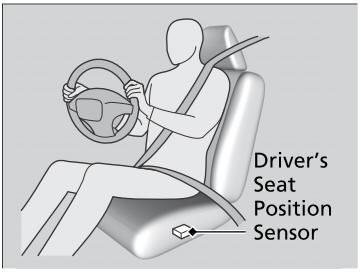
The driver's advanced airbag system includes a seat position sensor.