
Honda CR-V: Adjusting the Seats / Armrest
Using the Front Seat Armrest
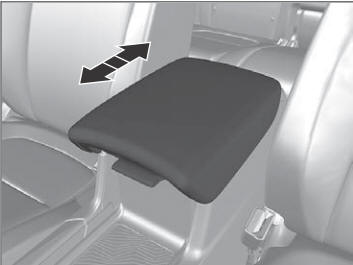
The console lid can be used as an armrest.
To adjust: Slide the armrest to a desired position.
Using the Rear Seat Armrest
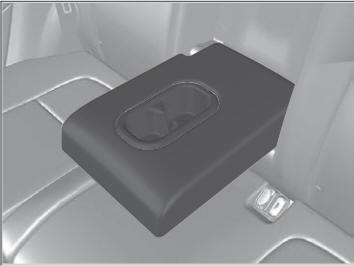
Pull down the armrest in the center seat-back.
 Maintain a Proper Sitting Position
After all occupants have adjusted their seats and head restraints, and put on
their
seat belts, it is very important that they continue to sit upright, well back in
their
seats, with their feet on the floor, until the vehicle is safely parked and the
engine is
off...

Other information:
Honda CR-V 2017-2026 Owner's Manual: Safety of Larger Children
Protecting Larger Children The following pages give instructions on how to check proper seat belt fit, what kind of booster seat to use if one is needed, and important precautions for a child who must sit in front. Checking Seat Belt Fit When a child is too big for a child seat, secure the child in a rear seat using the lap/shoulder seat belt...
Honda CR-V 2017-2026 Owner's Manual: Childproof Door Locks
The childproof door locks prevent the rear doors from being opened from the inside regardless of the position of the lock tab. Setting the Childproof Door Locks Slide the lever in the rear door to the lock position, and close the door. When opening the door Open the door using the outside door handle...
Categories
- Manuals Home
- Honda CR-V Owners Manual
- Honda CR-V Service Manual
- To rapidly defrost the windows
- Rear Seats
- Compass Zone Selection
- New on site
- Most important about car
Fastening a Seat Belt
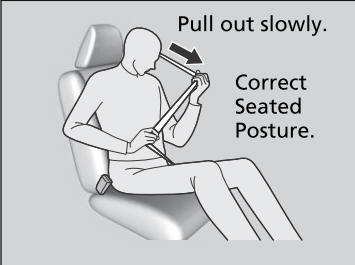
After adjusting a front seat to the proper position, and while sitting upright and well back in the seat:
Pull the seat belt out slowly.

Copyright © 2026 www.hocrv.com