Honda CR-V: Handling the Unexpected / If a Tire Goes Flat
If a tire goes flat while driving, grasp the steering wheel firmly, and brake gradually to reduce speed. Then stop in a safe place. Replace the flat tire with a compact spare tire. Go to a dealer as soon as possible to have the full-size tire repaired or replaced.
Park the vehicle on a firm, level, non-slippery surface, and apply the parking brake.
Put the transmission into  .
.
Turn on the hazard warning lights and turn the ignition switch to LOCK
 *1 .
*1 .
*1: Models with the smart entry system have an ENGINE START/STOP button instead of an ignition switch.
Follow compact spare precautions:
Periodically check the tire pressure of the compact spare. It should be set to the specified pressure. Specified Pressure: 60 psi (420 kPa, 4.2 kgf/cm 2 )
When driving with the compact spare tire, keep the vehicle speed under 50 mph (80 km/h). Replace with a full-size tire as soon as possible.
The compact spare tire and wheel in your vehicle are specifically for this model. Do not use them with another vehicle. Do not use another type of compact spare tire or wheel with your vehicle.
Do not mount tire chains on a compact spare tire. If a chain-mounted front tire goes flat, remove one of the full-size rear tires and replace it with the compact spare tire. Remove the flat front tire and replace it with the full-size tire that was removed from the rear. Mount the tire chains on the front tire.
NOTICE
Do not use the jack if it doesn’t work properly. Call your dealer or a professional towing service.
- Changing a Flat Tire. Getting Ready to Replace the Flat Tire
- How to Set Up the Jack
- Replacing the Flat Tire
- Storing the Flat Tire
- TPMS and the Compact Spare Tire
 Tools
Tools
T..
 Changing a Flat Tire. Getting Ready to Replace the Flat Tire
Open the cargo area floor lid.
Take the tool bag out of the cargo area.Take the wheel nut wrench and
jack handle
bar out of the tool bag.
Take the jack out of the spare tire area...
Other information:
Honda CR-V 2017-2026 Owner's Manual: Checking Tires
To safely operate your vehicle, your tires must be of the proper type and size, in good condition with adequate tread, and properly inflated. Inflation guidelines Properly inflated tires provide the best combination of handling, tread life, and comfort...
Honda CR-V 2017-2026 Owner's Manual: How the Front Airbags Work
While your seat belt restrains your torso, the front airbag provides supplemental protection for your head and chest. The front airbags deflate immediately so that they won't interfere with the driver's visibility or the ability to steer or operate other controls...
Categories
- Manuals Home
- Honda CR-V Owners Manual
- Honda CR-V Service Manual
- Odometer and Trip Meter
- Rear Seats
- Quick Reference Guide
- New on site
- Most important about car
Advanced Airbags
The airbags have advanced features to help reduce the likelihood of airbag related injuries to smaller occupants.
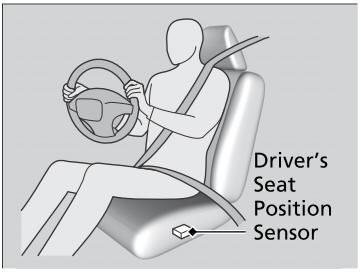
The driver's advanced airbag system includes a seat position sensor.