Honda CR-V: Panoramic Roof / Opening/Closing the Panoramic Roof
You can operate the panoramic roof when the power mode is in ON. Use the switch in the front of the ceiling to open and close the panoramic roof.
WARNING
Opening or closing the panoramic roof or sunshade on someone’s hands or fingers can cause serious injury.
Make sure all hands and fingers are clear of the panoramic roof and sunshade before opening or closing it.
NOTICE
Opening the panoramic roof in below freezing temperature or when it is covered with snow or ice can damage the panoramic roof panel or motor.
The panoramic roof and sunshade can be operated for up to 10 minutes after you set the power mode to VEHICLE OFF (LOCK).
Opening either front door cancels this function. When resistance is detected, the auto reverse function causes the panoramic roof to change directions, then stop. Auto reverse stops sensing when the panoramic roof is almost closed to ensure that it fully closes. Make sure that all objects, including fingers, are clear of the panoramic roof.
You can use the remote transmitter or the key to operate the panoramic roof.

 Using the Sunshade Switch
Automatic operation
To open: Pull the switch back firmly.
To close: Push the switch forward firmly.
The sunshade automatically opens or closes all
the way...
Other information:
Honda CR-V 2017-2026 Owner's Manual: Sunglasses Holder
To open the sunglasses holder, press and release the indent. To close, press it again until it latches. You can store eyeglasses and other small items in this holder. Keep the holder closed while driving except when accessing stored items. Conversation mirror The sunglasses holder comes with a mirror...
Honda CR-V 2017-2026 Owner's Manual: How to Refuel
Your fuel tank is not equipped with a fuel filler cap. You can insert the filler nozzle directly into the filler neck. The tank seals itself again when you pull out the filler nozzle. Stop your vehicle with the service station pump on the left side of the vehicle in the rear...
Categories
- Manuals Home
- Honda CR-V Owners Manual
- Honda CR-V Service Manual
- Odometer and Trip Meter
- Compass Calibration
- Compass Zone Selection
- New on site
- Most important about car
Advanced Airbags
The airbags have advanced features to help reduce the likelihood of airbag related injuries to smaller occupants.
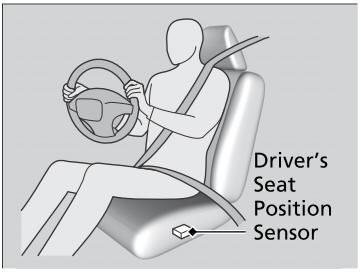
The driver's advanced airbag system includes a seat position sensor.